GigHealthcare
A client portal where a hospital sees every travel nurse it works with, from the first submission to the last day of the assignment
- 2026
- Design Lead
- Gig Healthcare, US
- Design Lead, later a middle designer on my specs
The task. Hospitals book travel nurses through Gig Healthcare, and until now the whole pipeline lived in Gig's internal admin. A hospital had to ask Gig's team where each candidate stood. The client wanted a portal that gives facilities full visibility and control, from a requisition to an active assignment.
What I did. I designed the Client VMS from a blank page as Design Lead: product rules with the client team, the candidate pipeline, the workforce lifecycle, the Do Not Return list, the screens for desktop and phone. Later a middle designer joined and built clean screens from my specs.
The result. The Client VMS went from zero to a full product design in about three months and is live in production. The partner agency portal, the nurse portal and Gig Admin followed faster on the same kit and rules.
- Speed
- HIPAA
- Fixed vocabulary
- WCAG 2.1 AA
- Web only
Staffing flow
A health system needs an ICU nurse for 13 weeks. It posts a requisition, and candidates arrive from three places: Gig's recruiters, the talent portal where nurses apply themselves, and partner staffing agencies. The hospital interviews, makes an offer, waits for credentials to clear and then watches the assignment until it ends or gets extended.
All data goes through Gig Admin. The client portal and the agency portal never talk to each other directly, so every rule about who sees what lives in one place. Everything in the client portal is scoped to one hierarchy: Health System → Facility → Unit.
- Client VMS
- Affiliate Vendor Portal
- Professional portal
- Gig Admin
The module spec put the core need in one question: who is working for me now, who is coming, who worked here before, who is blocked, and is each of them compliant and on track?
Two expensive mistakes
- A missed credential
- A blocked nurse comes back
Four roles, four views
- Client Admin
- Hiring Manager
- Executive and Scheduler
Research
I interviewed Gig's CEO and the managers who know the system and the staffing process inside out, and worked closely with the client team through the whole project. Every product rule was checked with the people who would live with it.
The client also gave us access to comparable vendor management systems. We went through them module by module and moved the patterns that work into our product, so the logic would feel familiar to hospitals that already use such systems.
- Profiles are read-only
- DNR is a hard block
- Compliance clears on its own
- Offers go through Gig
Two modules, one nurse
The same nurse lives in two modules. Submissions & Offers is job-centric: which candidates do I have for this requisition. Professionals is people-centric: who is on my floor, who is coming, who worked here, who is blocked. Both open the same profile, with tabs tuned to the entry point.
- New
- Shortlisted
- Interview
- Offered
- Placed
- Declined
- Withdrawn
- Added to DNR
After placement the nurse moves through In Progress, On Assignment and Past. Past isn't an archive: alumni already know the charting system and the culture, so the spec treats them as a hiring pool.
Alerts and permissions
Most of the design work in a VMS is invisible: statuses, transitions, permissions, thresholds. The spec settled them before the screens, so developers didn't have to guess.
- ≤ 14 daysAmber badge on the roster
- ≤ 7 daysRed badge and a banner
- < 70%Compliance attention
- View directory
- Shortlist, interview, offer
- Add to DNR
- Unblock DNR
- Request extension
Write actions are hidden for roles that can't use them, so a read-only executive doesn't trip over admin buttons. Edge cases went into the spec too. A nurse added to DNR during an assignment finishes it, but extensions are blocked. Adding someone twice shows "already on the DNR list". Every screen lists its loading, empty, error and permission states with the exact copy.
Open questions stayed in the spec on purpose. Who verifies compliance documents, Gig's credentials team or the hospital as a second gate, changes a modal, a permission row and a notification. So it was logged next to the screens it affects instead of being guessed in the UI.
Dashboard and directory
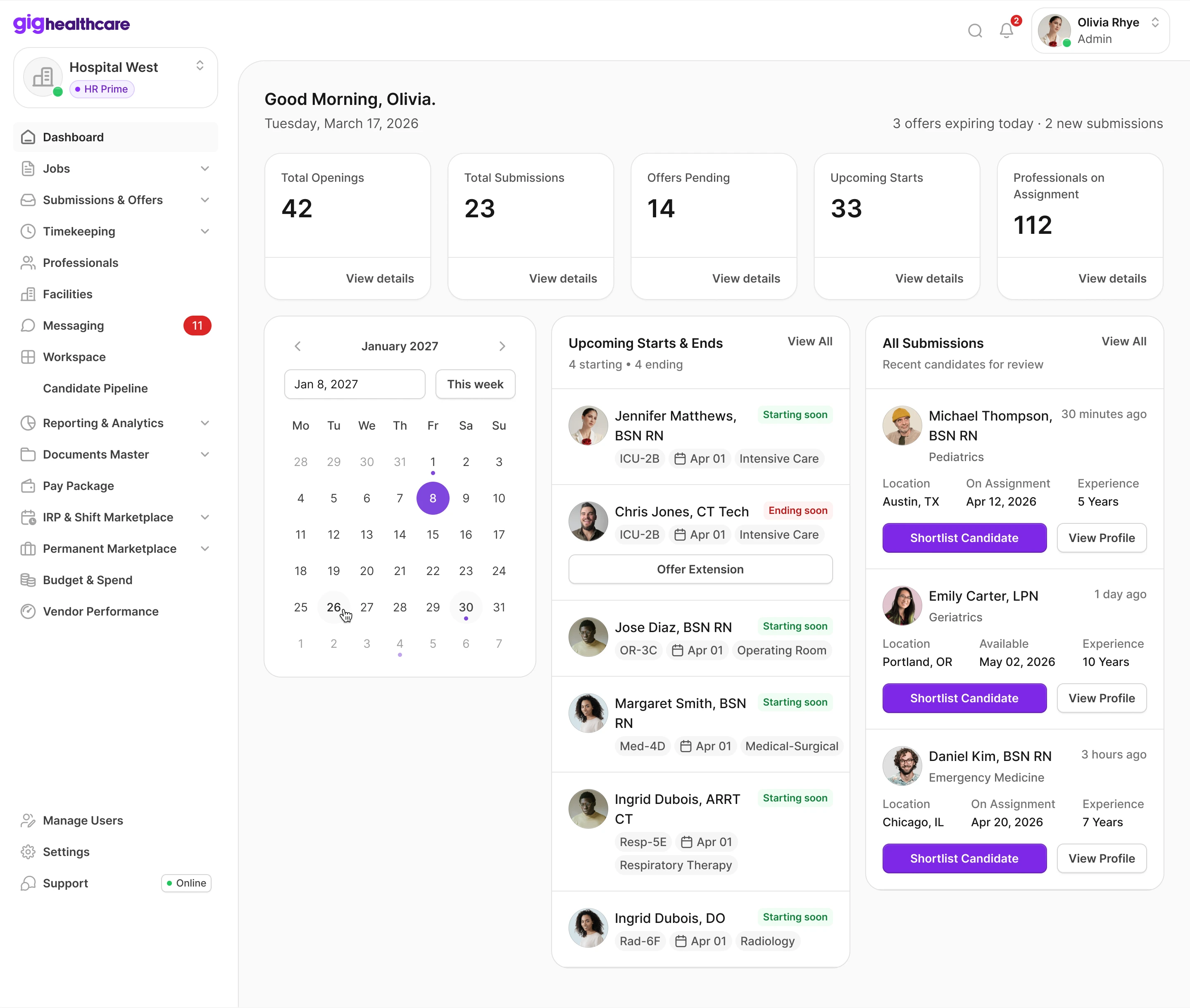
The first line under the greeting says what needs attention today: offers expiring, new submissions. Below are the counters, upcoming starts and ends with an "Offer extension" shortcut, and the latest candidates with a one-click shortlist.
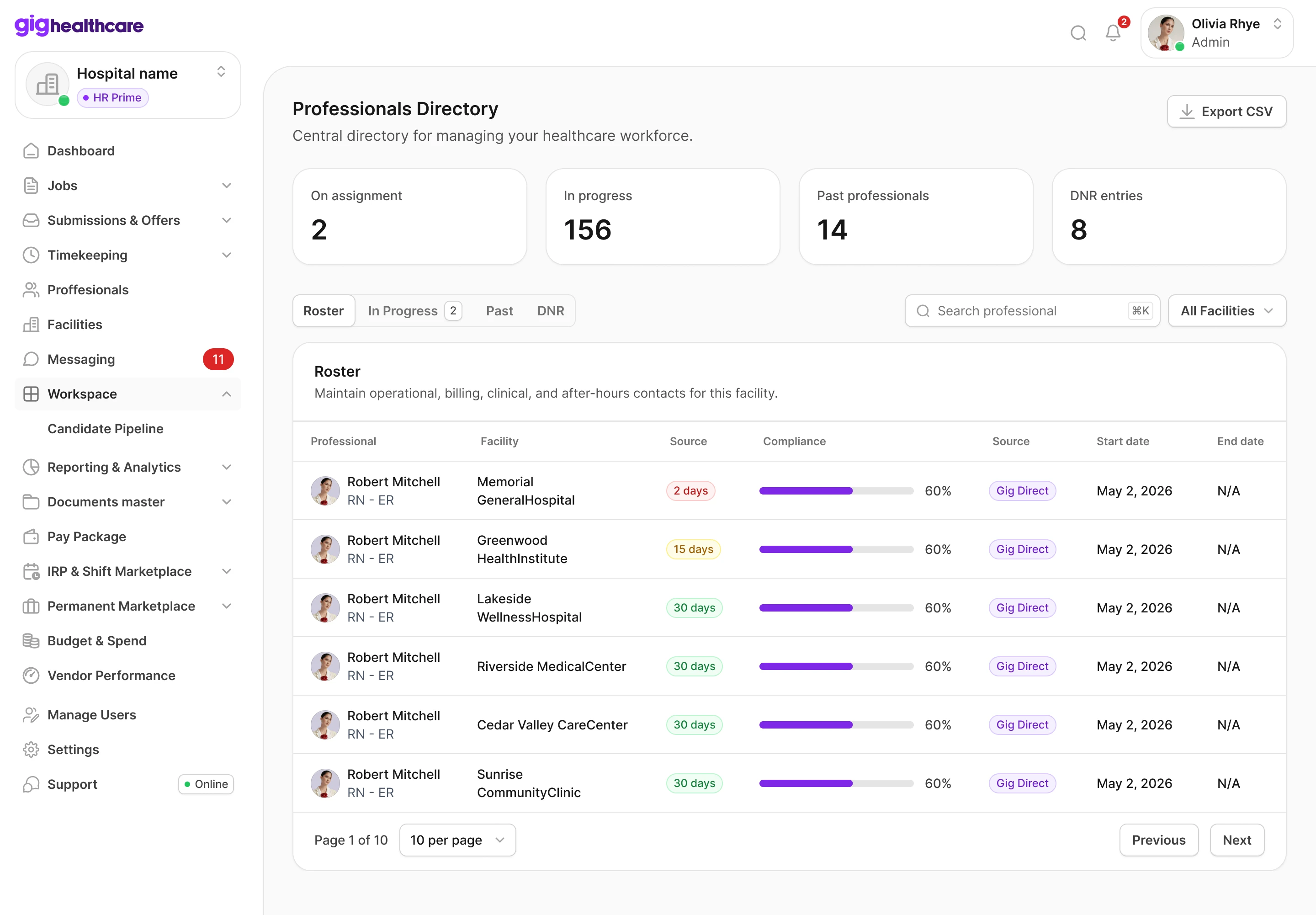
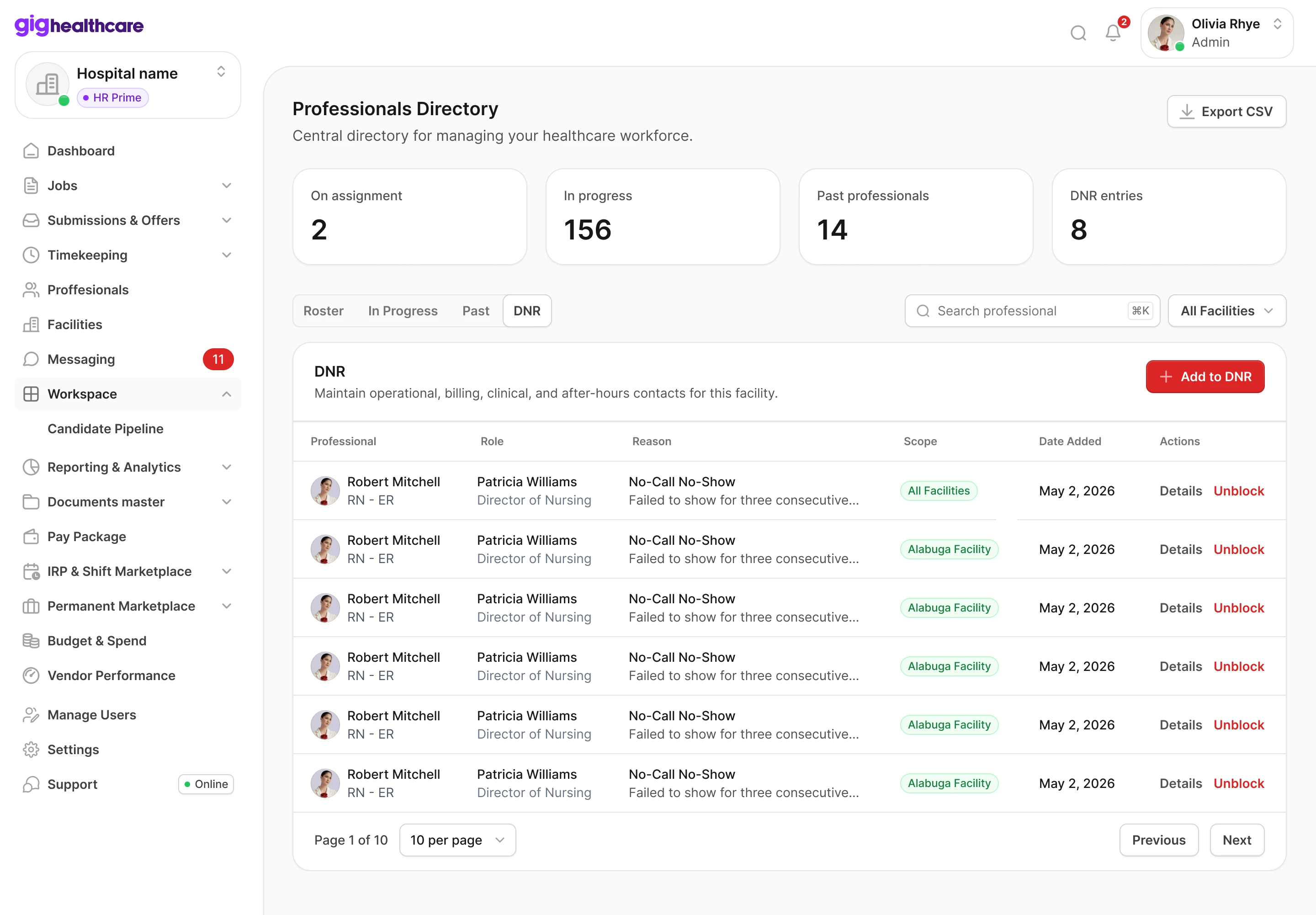
The directory has four tabs that follow the lifecycle: Roster, In Progress, Past, DNR. On the roster, the two things that can go wrong are visible without opening a profile: days left on the contract and compliance progress. On the DNR tab each entry keeps who added it, why, and where it applies.
Nurse profile
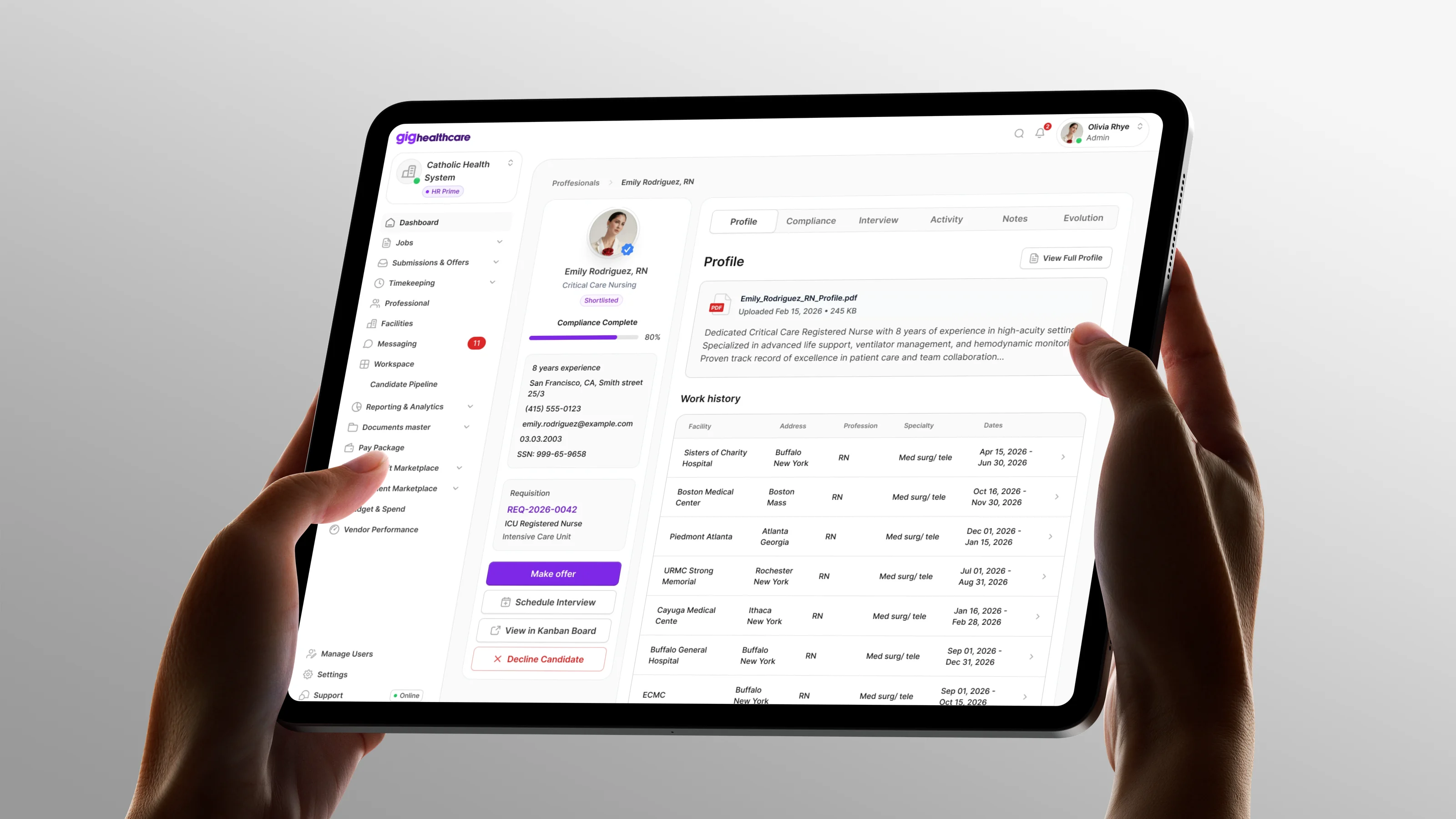
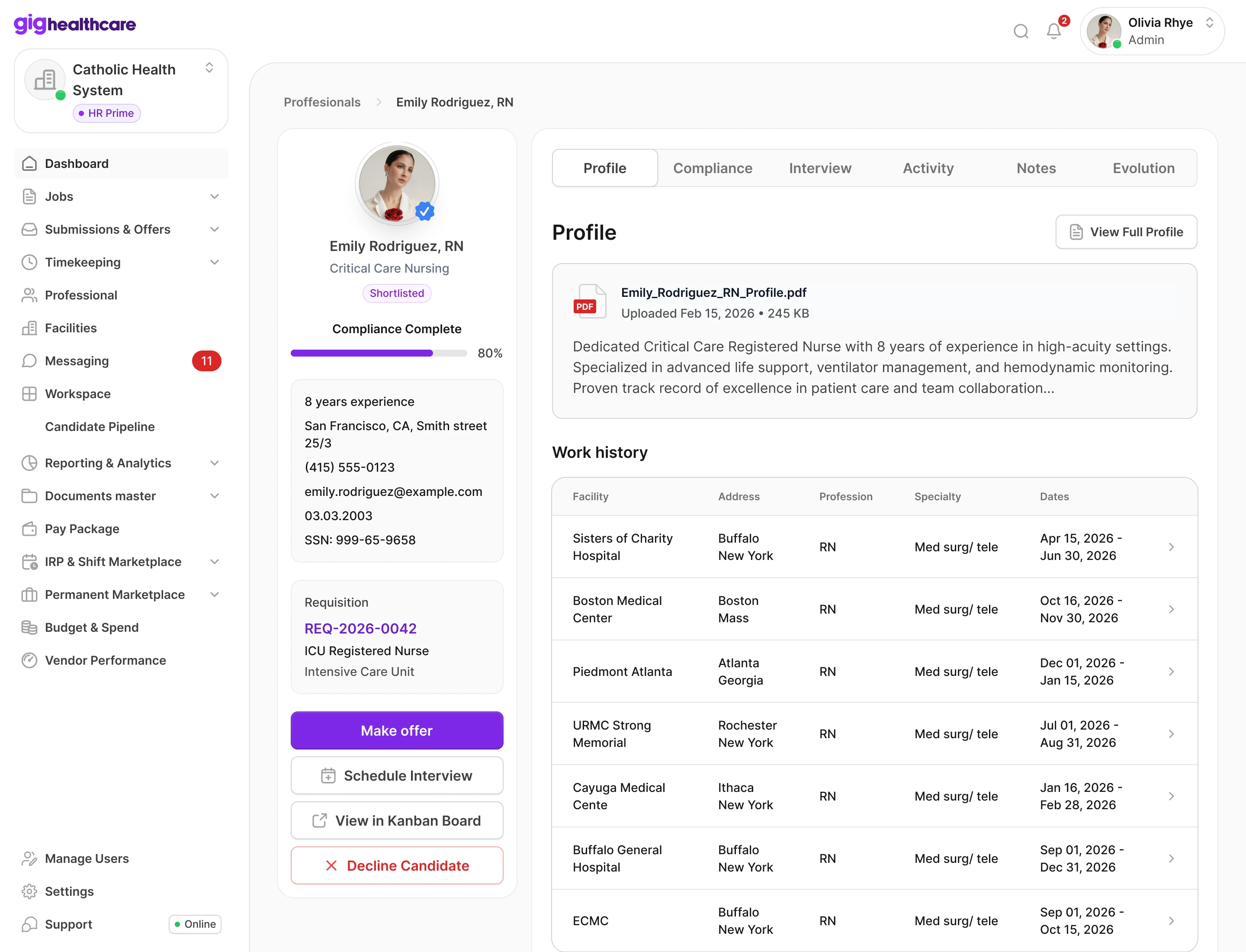
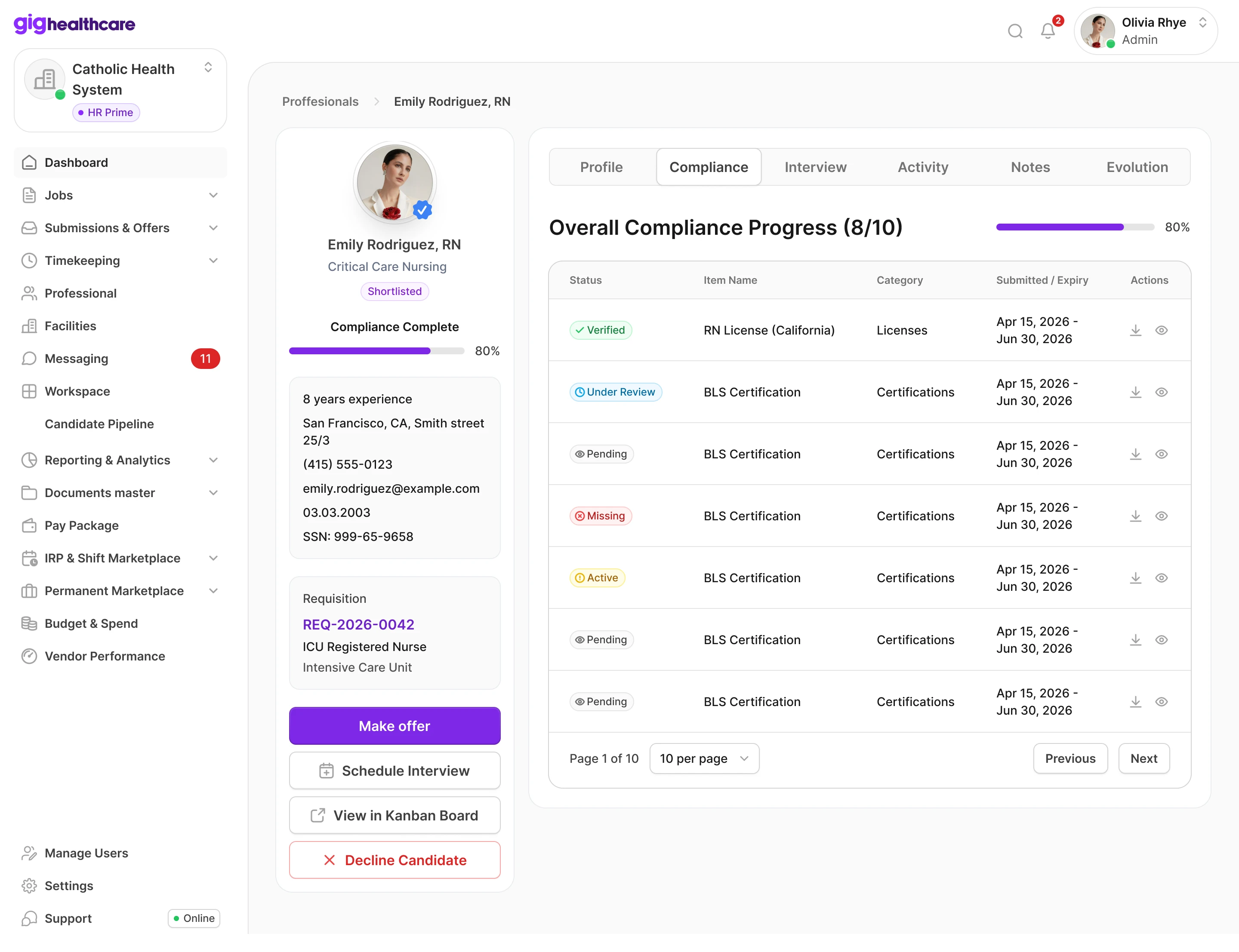
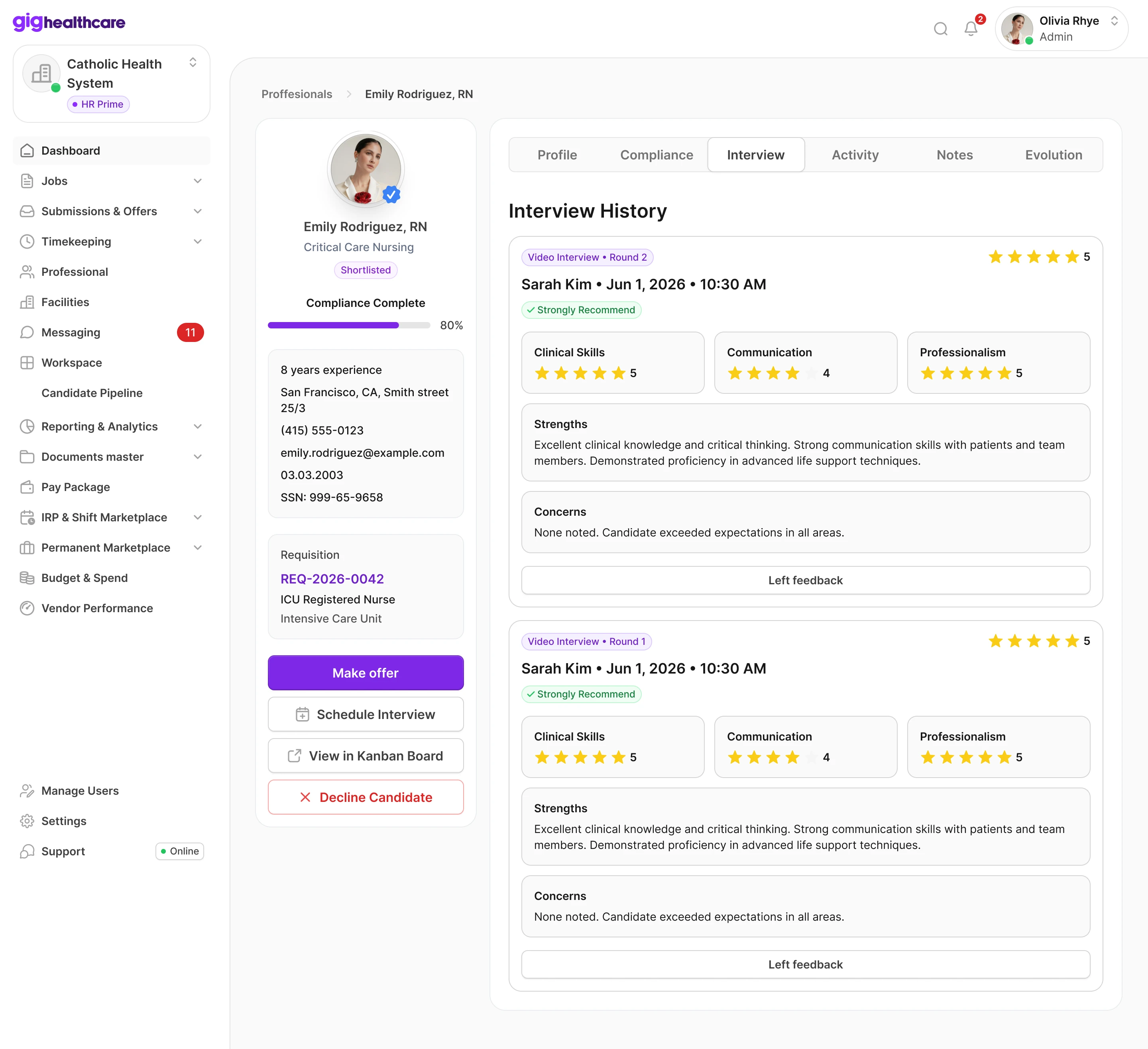
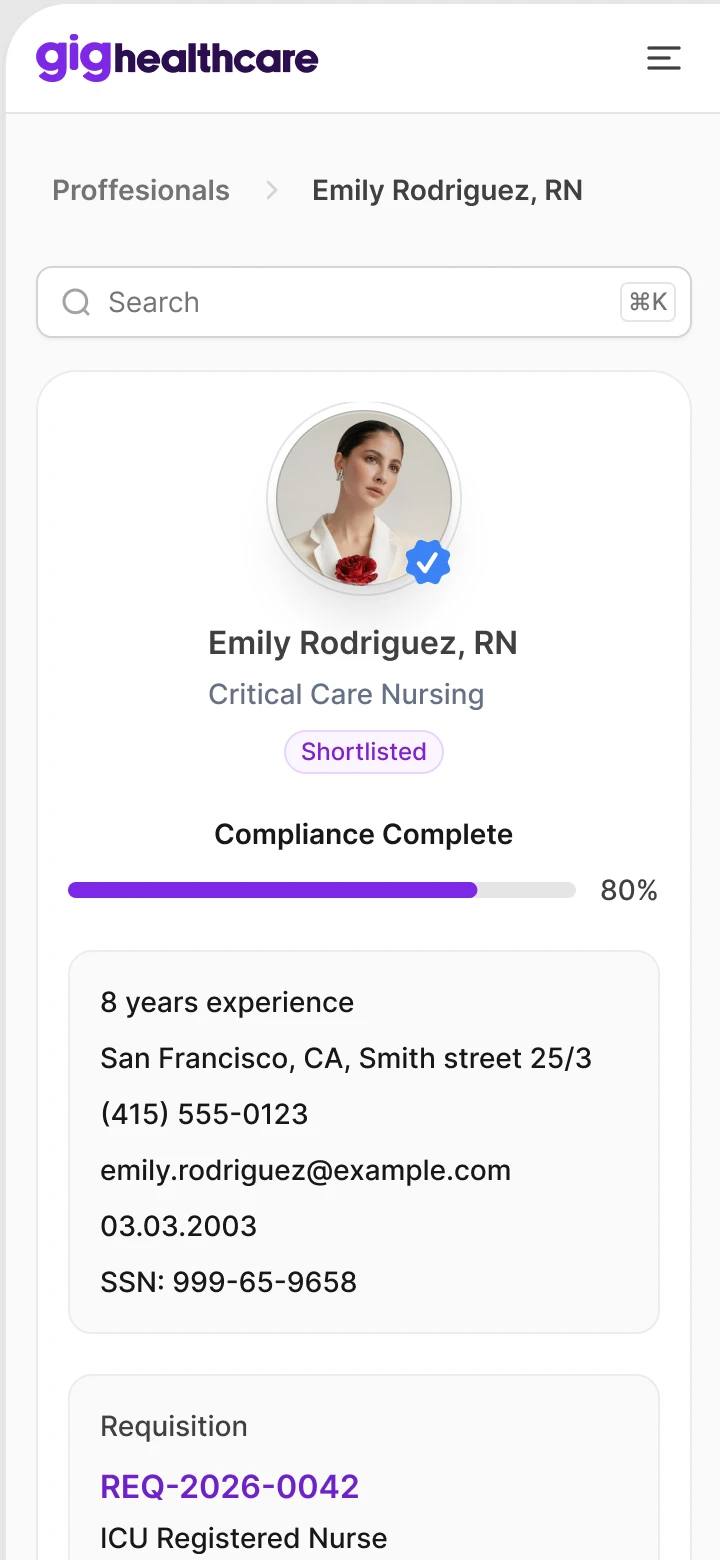
The left column holds what a manager checks every time: status, compliance, requisition and the next actions. Tabs on the right go deep: resume and work history, compliance, interviews, activity, notes, evaluations.
Decline, extend, cancel
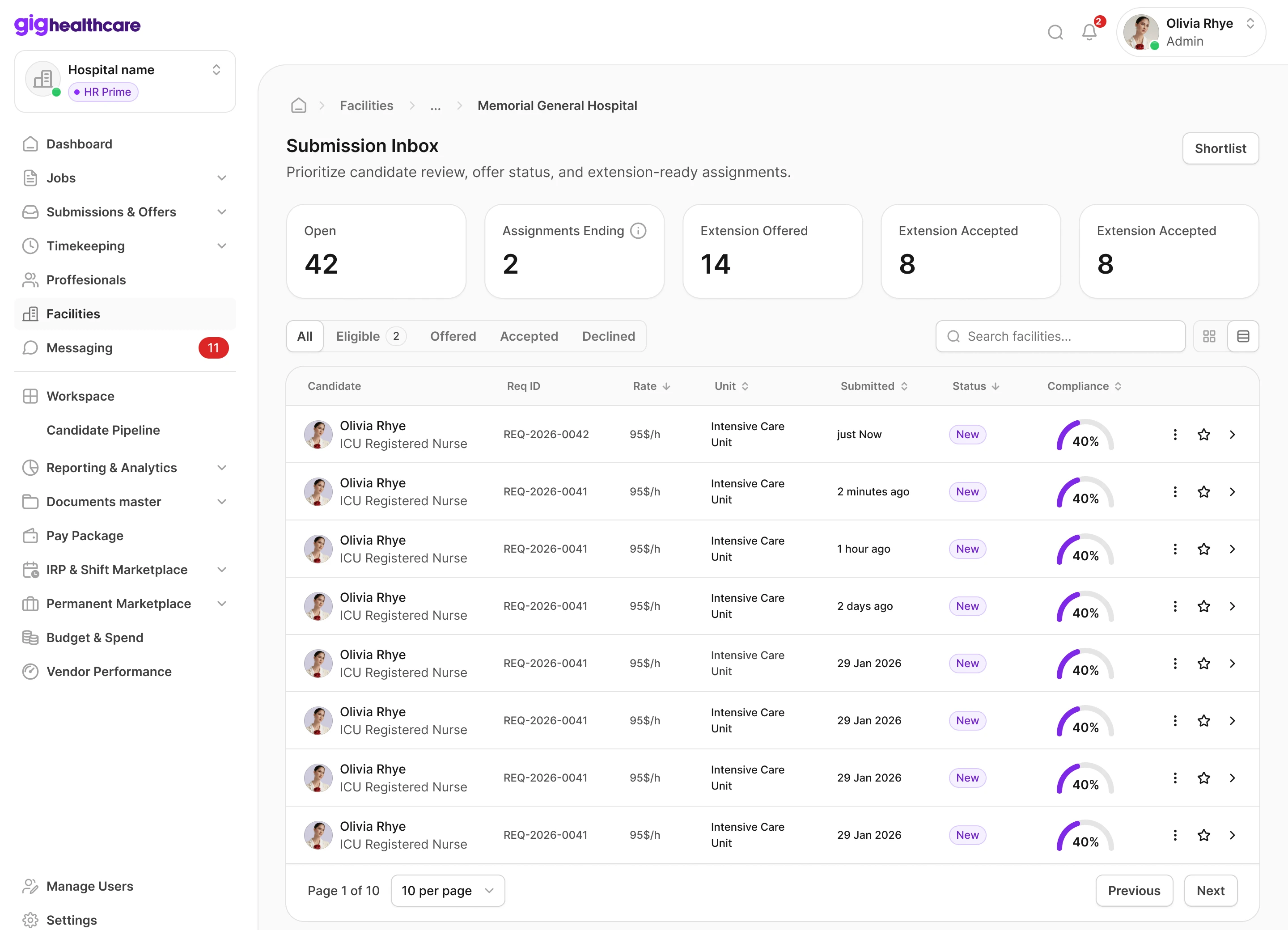
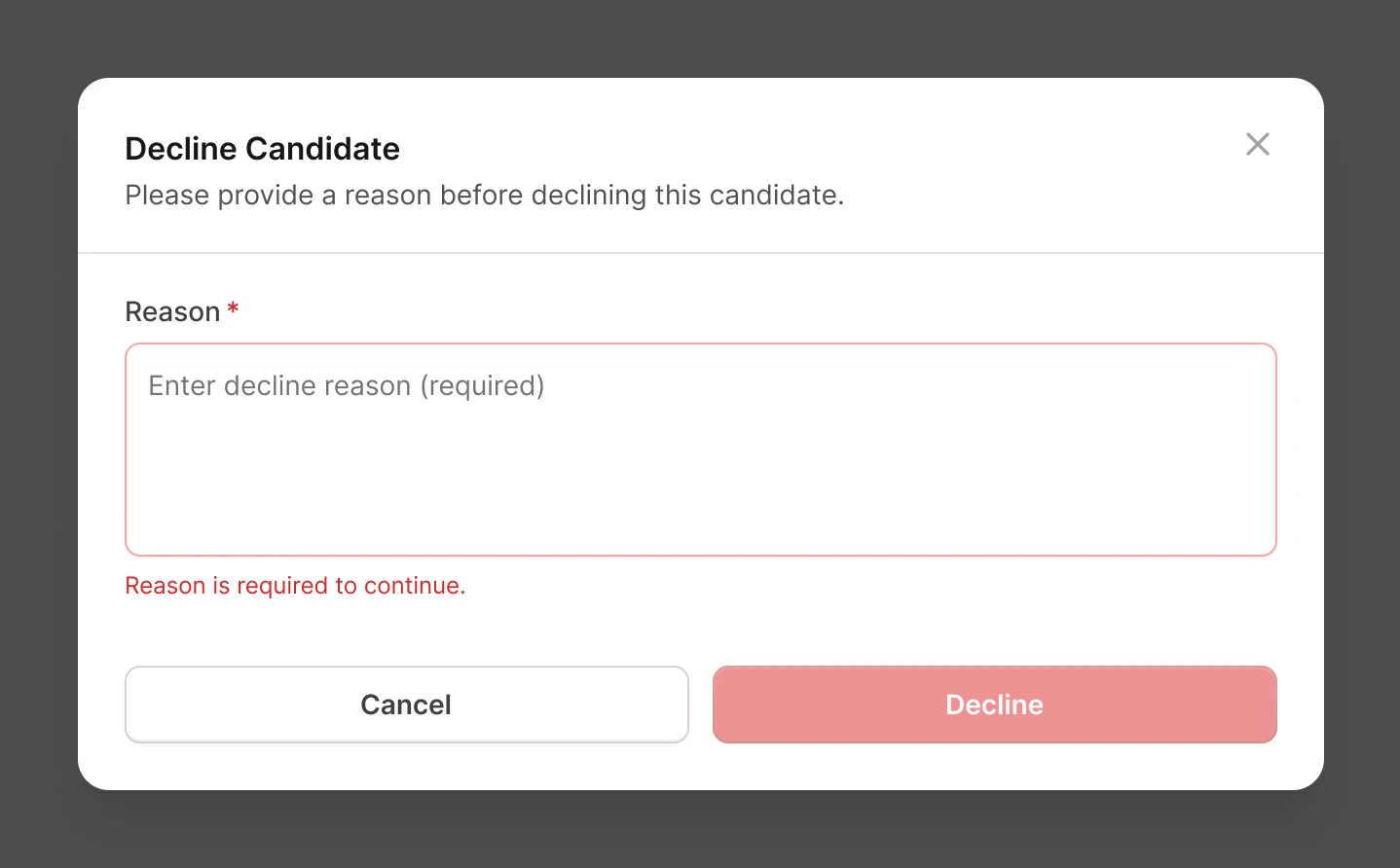
The inbox lists every candidate for the facility with rate, unit, status and compliance. Declining is one click, but the modal doesn't let you continue without a reason, so Gig and the recruiter always know why.
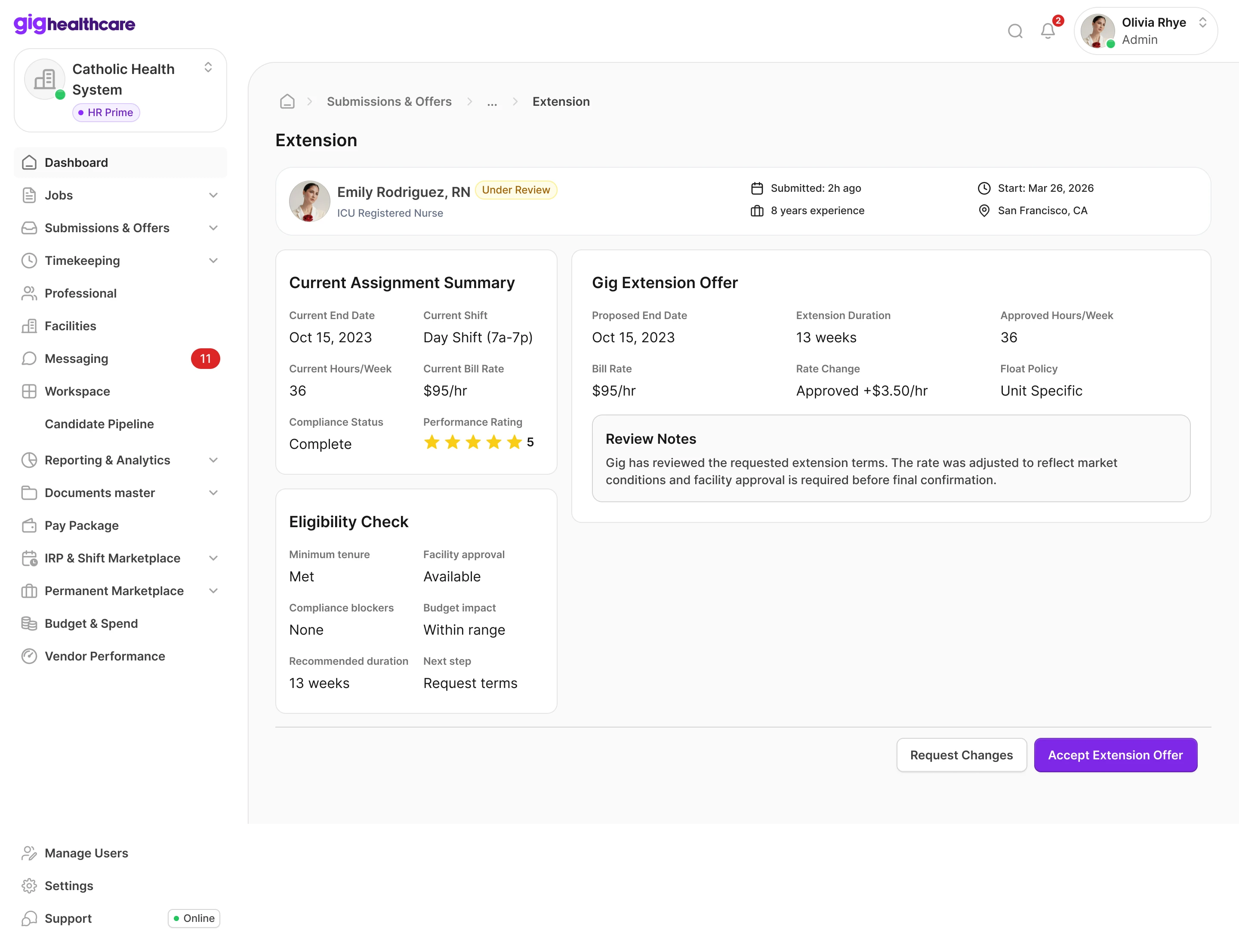
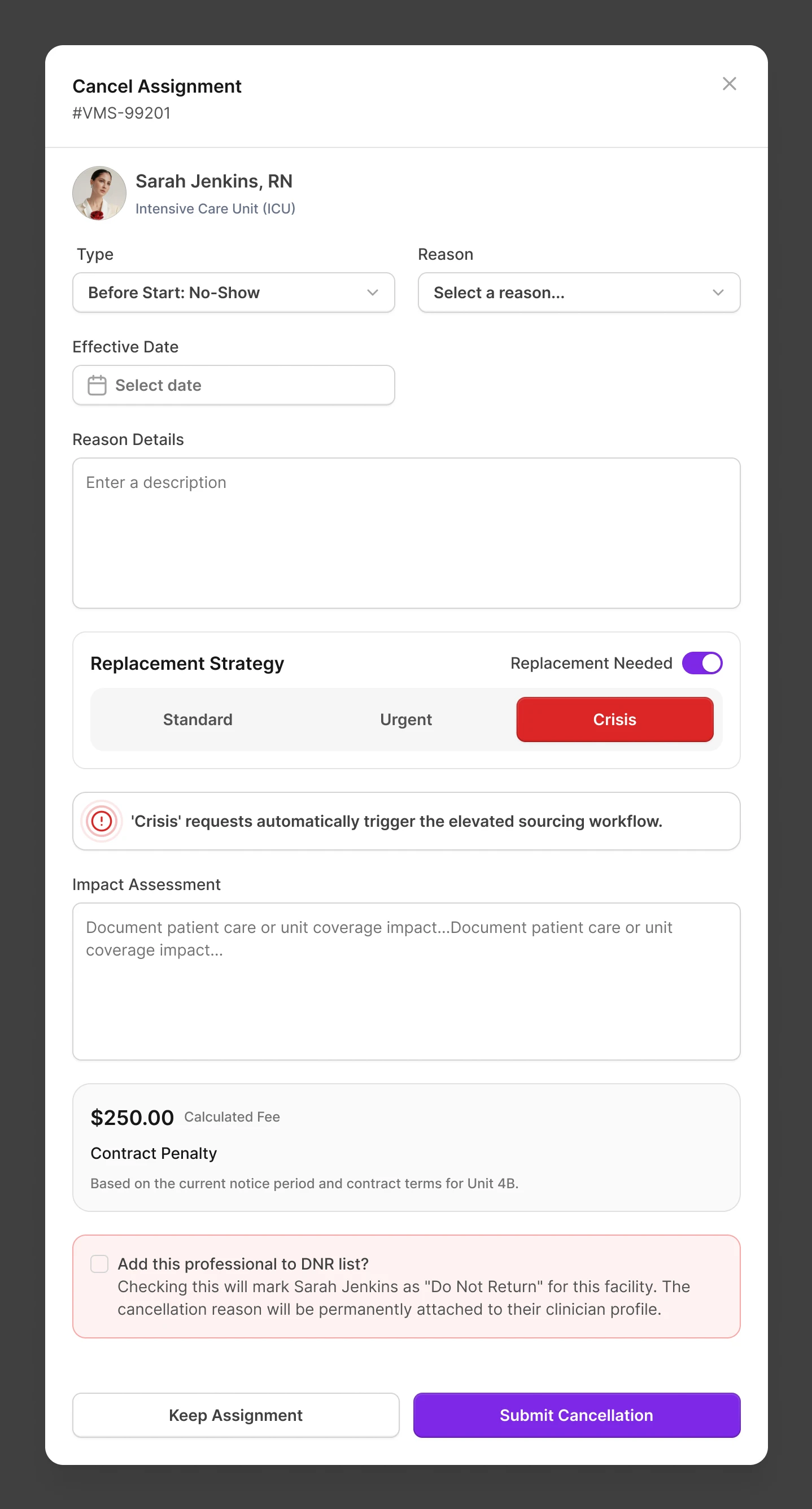
Extensions start with eligibility: minimum tenure, facility approval, compliance blockers, budget impact and a recommended duration. Gig's offer sits next to the current assignment, so the difference in terms is easy to see. Cancelling an assignment is where a hospital loses coverage, so the form asks about a replacement right away, shows the contract penalty before confirmation and has a DNR checkbox for a nurse who shouldn't come back.
Testing with managers
Before handoff, the managers who were going to work in the system ran the key scenarios themselves. Scenarios that failed went back to design and were reworked before development.
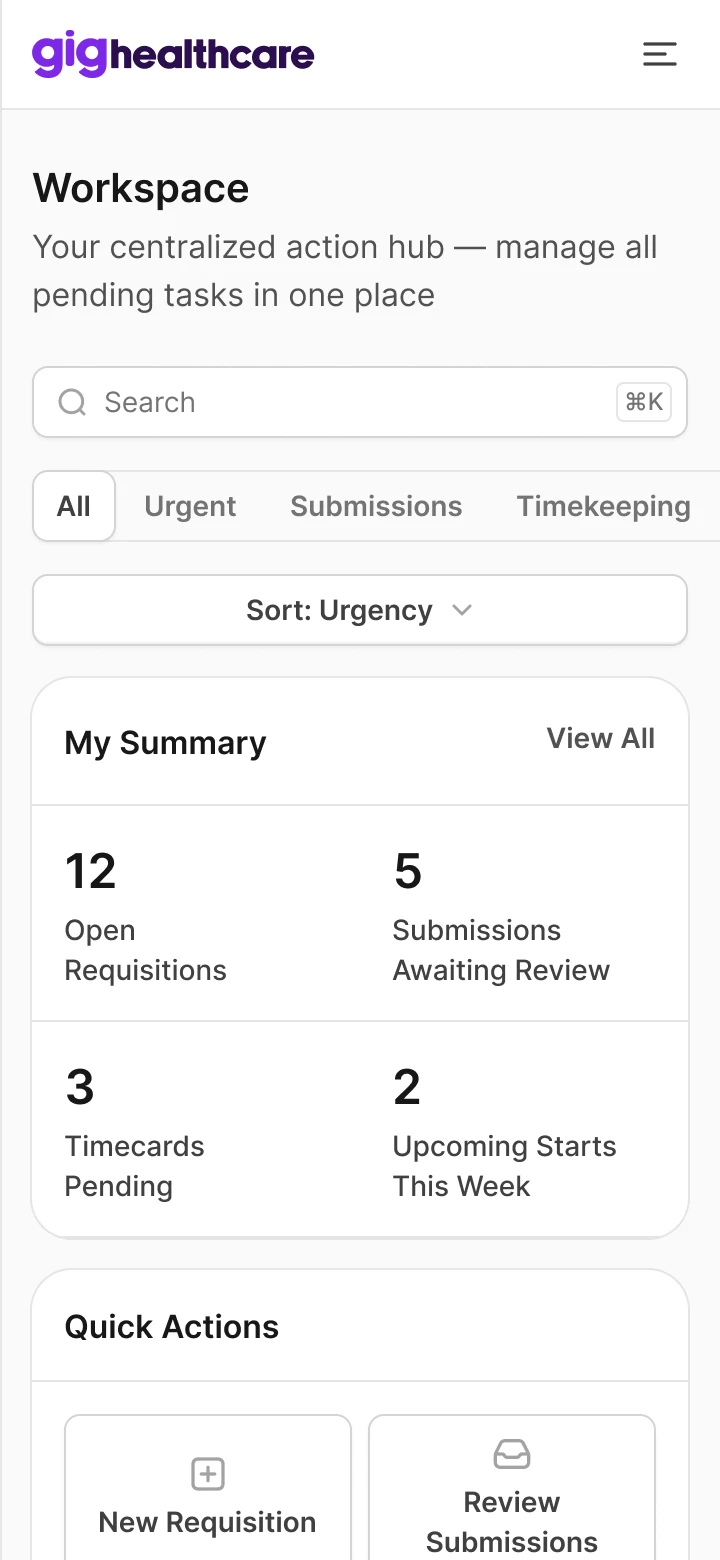
The UI is built on Untitled UI, adapted to Gig's brand and to dense operational screens: tables, status badges, progress bars, side panels and modals. With four products on the way, a shared base mattered more than a unique button. The release was web-only, so every screen also got a phone layout.
AI workflow
- 3–4×Faster prototyping
- SkillDocumentation
- 40 hWebsite motion
This workflow reached the project only at the end, when most of the Client VMS was already designed.
Results
The Client VMS is in production. The partner agency portal, the nurse portal and Gig Admin followed on the same kit and rules. DNR works as a hard block across the system, as it was designed from the start.
“Working and communicating with Vlad as our Product Designer was an outstanding experience. He not only guided us seamlessly through the entire platform creation process but also completely revamped our web animation workflow. By optimizing how we build and implement animations, he successfully reduced our turnaround time from 120 hours down to just 40. He brings real, measurable value to the business.”
Brendan Tobolski, CEO, GigHealthcare
What I'd do differently. Start with the AI workflow on day one. It arrived when most of the Client VMS was already designed.